Why This Matters: Running large language models is expensive. Serving a 70B parameter model on A100 GPUs can cost $2,000–$3,000 per day at moderate traffic. That's $60K–$90K per month for one model. If you run multiple models or regions, the bill explodes. The good news: you can cut this by 40–60% without hurting quality.
Where the Cost Comes From
Before optimizing, you need to understand where money goes in LLM inference:
- GPU hours - The primary cost driver. A100 and H100 GPUs are expensive to rent or own.
- Memory bandwidth - Large models are memory-bound, not compute-bound. Moving weights from memory is slow and costly.
- Network egress - Moving data between regions or clouds adds up fast.
- Idle time - GPUs sitting idle while waiting for requests waste money.
Four Ways to Reduce Cost
1. Batch Requests
Batching combines multiple requests into one forward pass through the model. This is the single most effective optimization for LLM serving.
Why it works: GPUs are designed for parallel computation. A single request leaves most of the GPU idle. Batching keeps the GPU busy by processing multiple requests simultaneously.
How to implement:
- Use a batcher in your serving stack - vLLM, Triton Inference Server, or build custom batching logic
- Enable dynamic batching with a maximum wait time (typically 10-20ms)
- Set batch size limits based on GPU memory and latency requirements
- Monitor queue depth to prevent batching from adding excessive latency
Pro tip: At low traffic, batching can add latency. Use dynamic batching with adaptive timeouts that reduce wait time when request volume is low and increase it during peak traffic.
Trade-offs:
- Adds latency at low traffic volumes (typically 10-20ms)
- Requires careful tuning of batch size and timeout parameters
- May need different batch configurations for different model sizes
Impact: Batching can improve throughput by 2-4x. That means you need 50-75% fewer GPUs for the same load.
2. Use KV Cache Optimization
The Key-Value (KV) cache stores computed attention keys and values from previous tokens, avoiding recomputation for each new token generated.
Why it works: For autoregressive generation, each new token attends to all previous tokens. Without caching, you'd recompute attention for all previous tokens every time. With KV cache, you only compute attention for the new token.
How to implement:
- Enable KV cache in your model server (vLLM does this automatically and efficiently)
- Implement PagedAttention for efficient memory management (vLLM's approach)
- Use eviction policies for long sessions to prevent OOM errors
- Monitor KV cache memory usage as a percentage of total GPU memory
Trade-offs:
- KV cache consumes significant GPU memory - plan capacity accordingly
- For very short generations, the memory overhead may not be worth it
- Need eviction strategies for long-running sessions or conversations
Impact: KV cache can reduce compute per token by 50-70% for contexts longer than a few hundred tokens. The longer the context, the bigger the win.
3. Quantize Models
Quantization converts model weights from high precision (FP16/FP32) to lower precision formats (INT4, FP8, INT8).
Why it works: Smaller weights mean less memory usage and faster computation. Memory bandwidth is often the bottleneck for LLM inference, so smaller weights directly translate to faster inference.
How to implement:
- Use AWQ (Activation-aware Weight Quantization) for INT4 quantization with minimal quality loss
- Try GPTQ for post-training quantization
- Use TensorRT-LLM or llama.cpp for optimized quantized inference
- Test quantized models on your evaluation dataset before production deployment
From my experience: INT4 quantization typically has minimal impact on quality for models 13B+ parameters. For smaller models, be more careful and test thoroughly. Always validate on your specific use case and eval set.
Trade-offs:
- Quality can degrade, especially for smaller models or aggressive quantization
- Some quantization methods require calibration data
- Not all operations can be quantized efficiently
- May need different quantization strategies for different layers
Impact: INT4 quantization can cut memory usage by 75% and speed up inference by 1.5-2x. A 70B model that needs 4x A100 GPUs (FP16) can run on a single A100 with INT4.
4. Schedule Smart
Intelligent request scheduling and autoscaling ensure you're not paying for idle GPUs while maintaining low latency.
Why it works: GPU costs are fixed per hour whether you're using 10% or 100% of capacity. Smart scheduling maximizes utilization while avoiding cold starts that hurt latency.
How to implement:
- Maintain a warm pool of GPUs with models already loaded
- Implement autoscaling based on queue depth and latency, not just traffic
- Use bin-packing algorithms to efficiently allocate requests to GPUs
- Route traffic to least-loaded instances first
- Implement preemptive scaling before peak traffic (if predictable)
Trade-offs:
- Over-scaling (keeping too many warm GPUs) kills cost savings
- Under-scaling hurts latency and user experience
- Cold starts (loading models) can take 30-60 seconds
- Need good observability to tune autoscaling parameters
Impact: Smart scheduling can save an additional 10-20% on top of batching and quantization by eliminating idle time and right-sizing capacity.
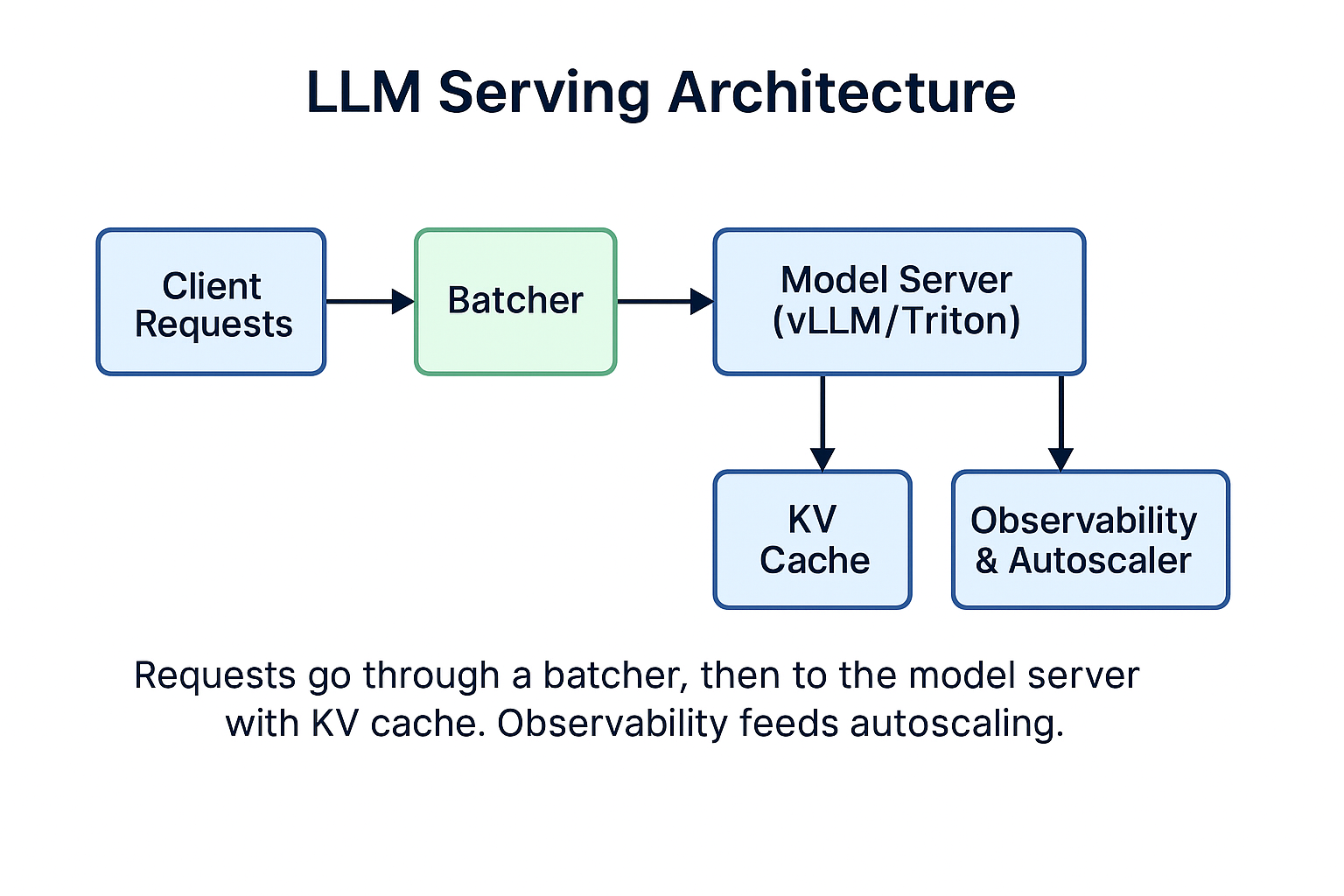
Combining Strategies
These optimizations are not mutually exclusive - they stack. Here's a realistic scenario:
- Baseline: 70B model, no optimization, FP16 → 4x A100 GPUs at $2.50/hr/GPU = $240/day
- + Batching: 2.5x throughput improvement → need ~1.6 GPUs worth of capacity = $96/day
- + Quantization (INT4): Fit on 1 GPU instead of 4 → $60/day for same capacity
- + Smart scheduling: Reduce idle time by 15% → $51/day
Total savings: 79% reduction ($240 → $51 per day)
Real example from my experience: For a production system serving 1M+ requests/day, combining batching + INT4 quantization reduced costs by 50% while maintaining the same p95 latency and quality metrics. Monthly savings: $75K.
Trade-offs to Know
Every optimization has costs. Here's what to watch for:
- Batching vs Latency: Great for throughput, adds 10-20ms wait time. Not suitable for ultra-low-latency use cases.
- Quantization vs Quality: INT4 saves significant cost but can hurt accuracy. Test on your eval set and monitor quality metrics in production.
- KV Cache vs Memory: Faster inference but consumes GPU memory. May limit batch size or number of concurrent requests.
- Autoscaling vs Stability: Aggressive scaling saves money but risks cold starts during traffic spikes. Conservative scaling wastes money on idle capacity.
Actionable Steps
Ready to cut your LLM costs? Here's a practical roadmap:
- Start with batching - Easiest win with minimal risk. Enable dynamic batching in your serving stack.
- Add KV cache - Almost always worth it for generation tasks. Use vLLM or enable in your existing server.
- Test quantization - Run INT4/FP8 models on your eval set. If quality is acceptable, deploy to a percentage of traffic.
- Implement smart scheduling - Add autoscaling based on queue depth and p95 latency, not just request rate.
- Monitor key metrics - Track GPU utilization, p95 latency, cost per 1K requests, and quality metrics continuously.
- Iterate - Tune batch sizes, timeout values, and autoscaling thresholds based on production data.
Tools and References
- vLLM - High-throughput and memory-efficient LLM serving with PagedAttention
- Triton Inference Server - NVIDIA's inference serving platform with dynamic batching
- AWQ - Activation-aware Weight Quantization for INT4 models
- TensorRT-LLM - Optimized inference library for LLMs on NVIDIA GPUs
- From my experience at Google, Uber, and Microsoft: batching + quantization consistently delivers 40-60% cost reduction across different model sizes and use cases
Want to discuss LLM infrastructure?
I consult with companies on AI/ML infrastructure and engineering best practices.
Get in Touch